Several SIP accounts at once
PremiumAn office extension and a provider number registered side by side. Pick the account per call; Recents shows which one rang.

Register the account from your PBX or provider. Call over TLS and SRTP, hold, transfer and record.
Available for Windows; Mac, iPhone and iPad in preparationLinux and Android planned

Shown with demo accounts and sample numbers.
Each feature below is in the current Windows, Mac and iPhone apps.
An office extension and a provider number registered side by side. Pick the account per call; Recents shows which one rang.
Blind or attended transfer, several calls at once, and recordings saved as WAV on your device.

Encrypt signaling and audio when your server supports it. Set audio encryption to Required to refuse plain calls.
How it worksSTUN and ICE for home and office networks. Opus for poor connections, G.711 for broad PBX and provider support.
Save the people you call with a photo and their numbers. They sync to your Windows PC, Mac, iPhone and iPad, and every call shows who it is.
About contacts
Incoming calls ring in a floating window on every Space and over full-screen apps, with the caller's name and photo.

Not available yet: push notifications for incoming calls. Full feature list

Use your provider's SIP account on your Mac or iPhone, and keep that number apart from your mobile plan.
Give staff their office extension wherever they work, with transfers, recording and forwarding set at the PBX.
Standard SIP over UDP, TCP or TLS, SRTP, DNS SRV, outbound proxy and detailed SIP logs.
Ask your PBX administrator or open your provider's portal for the server, username and password. What is a SIP account?
Enter Server, Transport, Username and Password and choose Save and Register. The status dot turns green when the server accepts it.
Dial, answer, hold, transfer or record. Behind a router with one-way audio, add a STUN server and turn on ICE.

Native apps for Windows 10 (2004) and later, macOS 14 and later, and iOS and iPadOS 17 and later. Windows is available now; Mac, iPhone and iPad are in release preparation. Premium bought on iPhone, iPad or Mac also works on Windows when you sign in with the same SIPdia account.
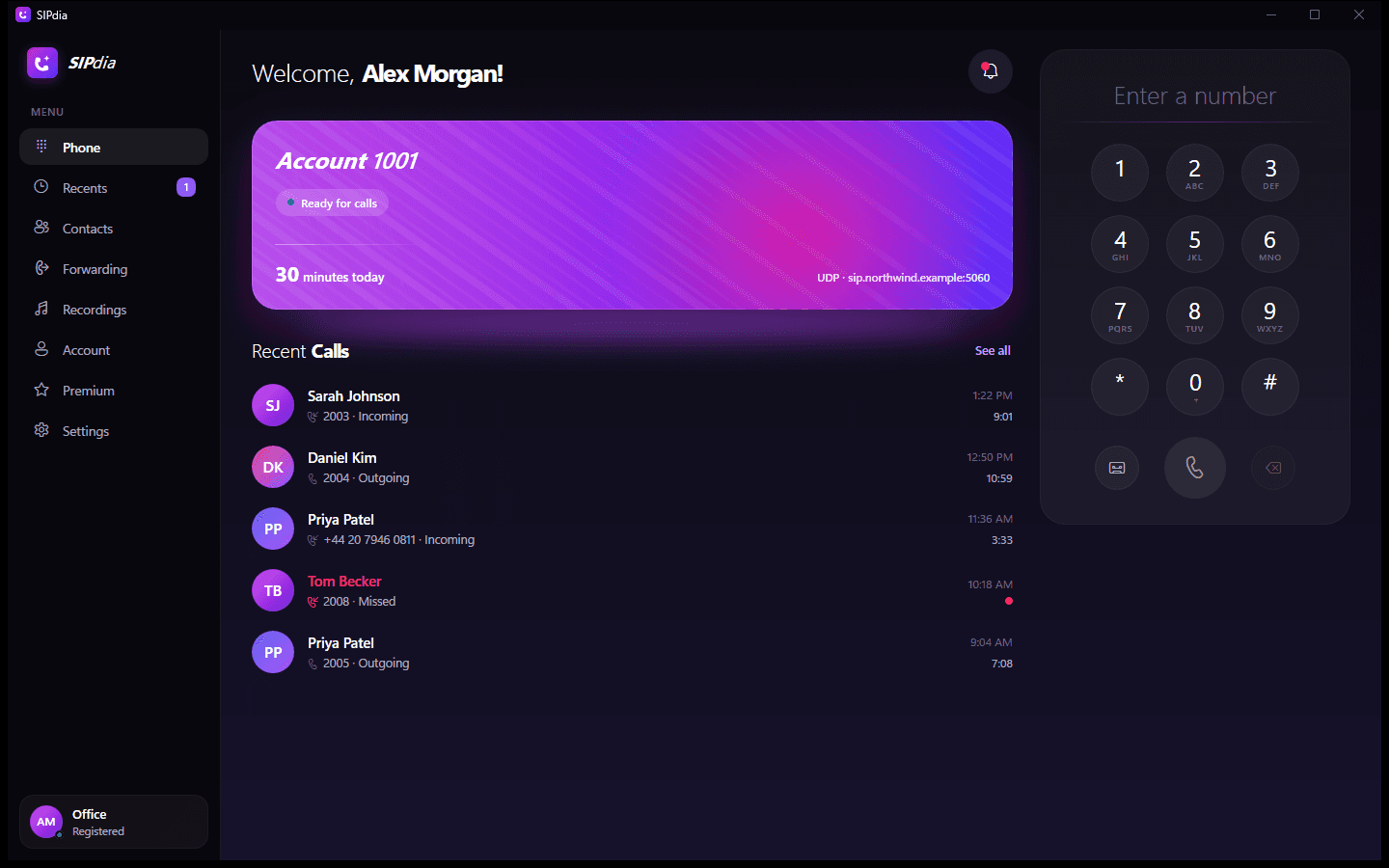
Out now. Install it from the Microsoft Store for automatic updates, or download the .zip for PCs without the Store.
The Mac app is built and in release preparation. The download link will be published here.

The iPhone and iPad app is built and in release preparation. The App Store link will be published here.
SIPdia is built for PBX systems such as Asterisk, Issabel and FreePBX, and for SIP providers that accept UDP, TCP or TLS and allow Opus or G.711. Your server's settings decide the transport and codec of each call. Forwarding codes need a PBX that supports them.
Setup guides describe configuration only. No partnership or certification is implied.
Integration guidesProtection covers the path to your server. SIPdia has not been independently audited.
Security detailsPremium from $2.99 a month, $24.99 a year, or $59.99 once for lifetime. Current discounted prices, in USD.
SIPdia is a SIP softphone, an app that turns your Windows PC, Mac, iPhone or iPad into a phone for a SIP account. You enter the server, username and password from your PBX or SIP provider, and SIPdia registers and places and receives calls over the internet.
SIPdia for Windows runs on Windows 10 version 2004 or later and Windows 11, from the Microsoft Store or as a direct download. The apps for macOS 14 or later and for iOS and iPadOS 17 or later are in release preparation. Linux and Android versions are planned, with no app or release date yet.
Yes. SIPdia does not provide phone numbers or calling service. It connects to a SIP account you already have, from a PBX such as Asterisk, Issabel or FreePBX, or from a SIP provider.
SIPdia is freemium. The free plan includes one SIP account with calling, hold, transfer and TLS/SRTP. SIPdia Premium adds more accounts, call recording, and call forwarding with Do Not Disturb. Premium is currently $2.99 a month, $24.99 a year or $59.99 once for lifetime (USD).
Not yet. The app must be open to receive calls. On iPhone it unregisters about 20 seconds after it leaves the foreground, so calls go to voicemail or forwarding. Push notifications for incoming calls are not implemented.
SIPdia speaks standard SIP over UDP, TCP or TLS with Opus and G.711 audio, so it is designed to register with standards-based servers. Whether calls work also depends on your server's transport, codec and NAT settings: the codec is negotiated per call, and a server that allows only G.729 or G.722 will not work. Setup has been documented for Issabel, and general guides exist for Asterisk, FreePBX and SIP providers.
They can be. Choose TLS as the transport to encrypt SIP signaling, and set Encrypt audio to Required to use SRTP for the media. Your server must support both, and the server's TLS certificate must be issued by a public certificate authority.
Bring the SIP account you already have.